Modules

Animal Welfare

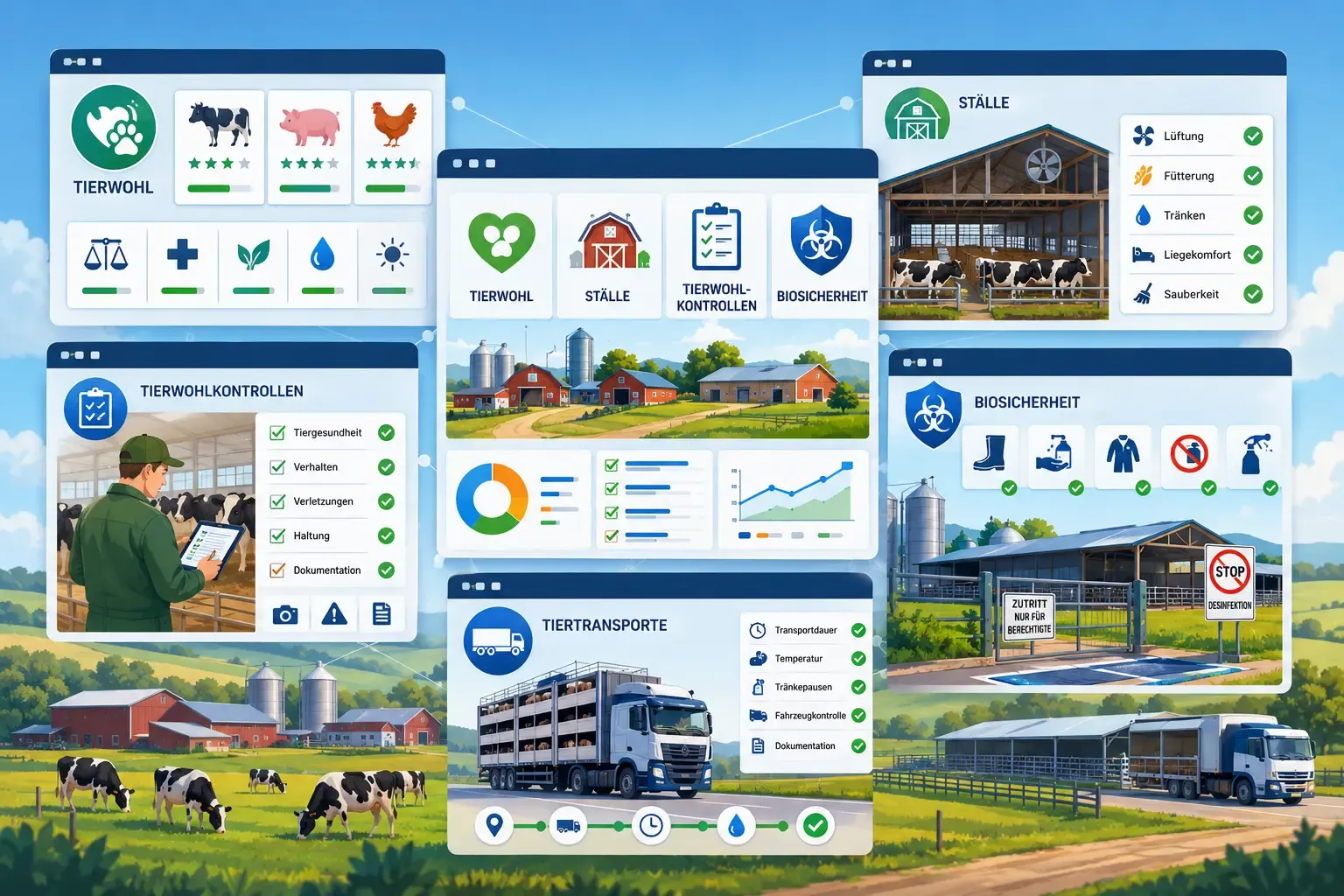
Make animal welfare verifiable – housing, inspections, biosecurity, mortality reports and transports, all structured and documented.

17capabilities
App windows over a pasture landscape: star ratings for a cow, pig and chicken, a barn with a ventilation and cleanliness checklist, a farmer with a tablet doing an inspection, biosecurity signage at a barn entrance, and a livestock transport truck with a checklist.
capabilities

Animal Welfare: 17 capabilities

01

Housing & Locations

Manage farm buildings and housing facilities including capacity and current occupancy – for poultry, the active flocks in the barn count too. For each barn or section you set the housing type under the German Animal Husbandry Labelling Act (THKG), at the building level the identification number; the housing type enters the stocking density as a factor.
02

Animal Welfare Inspections

At every inspection you rate selected indicators – lameness, body condition, cleanliness, injuries, water supply, barn climate and behaviour are available – as “Action needed”, “Acceptable” or “Good”. FarmManager forms the average; if one indicator is set to “Action needed” or you flag the inspection yourself, it counts as requiring action. If a default barn is stored, you also create an inspection via “Quick animal welfare inspection” in the quick-actions menu.

03

ASF Biosecurity

Rate eleven biosecurity criteria against African Swine Fever (ASF) as met, not met or not applicable; the number of unmet criteria automatically produces a risk traffic light. You also document the animal losses in the assessment period, and a chart shows when repeat assessments are due. It is intended for the biosecurity risk assessment that QS requires from pig farms from 1 July 2026.

04

Pig Mortality Reporting

With an HI-Tier connection set up, a draft of the weekly loss report is created for every completed week from fallen stock and death events – also as a zero report if nothing has died. You check and complete it; in automatic mode FarmManager submits it itself, and if a report is overdue, email and app remind you. A submitted report can be withdrawn with a cancellation reason, and “Compare with HI-Tier” clarifies whether it is on file there.

05

Animal Transports

Record animal transports under Regulation (EC) No. 1/2005 with transporter and their authorisation number, vehicle registration, species and number, origin, destination and recipient. From departure and arrival, FarmManager calculates the duration and, for journeys over 8 hours, points to the type 2 authorisation and the journey log.

06

Occupancy in 3D — Species, Health, Occupancy

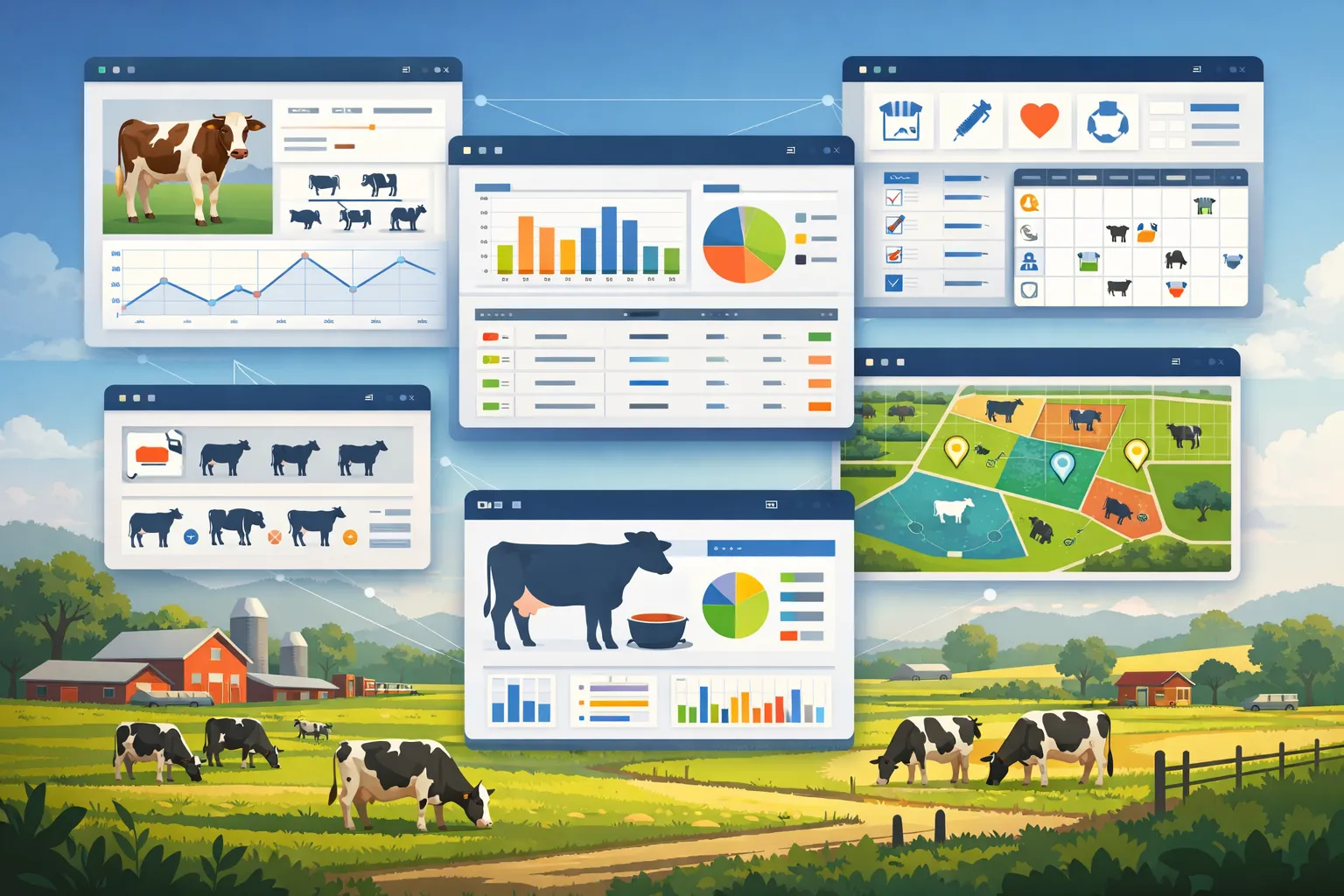
Barn and pens appear as a spatial view with a colour signal per unit - green means fine, yellow from 90 percent utilization, red on overcrowding. The same scene can be colour-coded by species – the default –, by health status or by occupancy; the capacity colours are colourblind-safe and share one single legend. Herd cards also carry short markers for quarantine, an active withdrawal period and overdue vaccinations. The health mode flags conspicuous animals with alert flags and warns when a move breaks biosecurity.

07

Move Herds and Individual Animals

Herds can be dragged between pens and barns in the 3D view; herds without a barn (pasture) also appear as source and target. Without 3D, it works from the lists – “Assign herds” in the barn's row menu, “Move to barn” on the herd. Individual animals without a herd, for example in the sick pen or in quarantine, you place directly into a barn or section via the animal form, a row or bulk action, or “Assign animals” on the barn. They count towards occupancy and overcrowding, and every movement appears in the animal's timeline.

08

Animal Movements Over Time

Relocations, grazing and arrivals and departures of the recent months appear as dated flow links between barns and fields. Herd relocation, restall, pasture, arrival and departure are colour-separated and displayable over a selectable time window up to 24 months back.

09

Barn Location with Map and Navigation

Record an address and a map point for every barn. The address search fills the location and map point automatically; conversely, a placed map point returns the matching address via reverse geocoding. Start directions right from the barn – via a map service on desktop or your device's navigation app on mobile. If no map point is stored for a barn, the view explains exactly that instead of simply hiding the option.

10

Capacity, Use and Its Limits

Area and animal count are converted into each other live via the effective minimum area per animal, so the permissible occupancy is visible at once. A section's use options follow the species, and the stocking density is pre-filled to match. A card shows how the permissible occupancy is derived – available area, minimum area per animal, housing-type factor and any stored upper limit – plus the current stocking density. The minimum areas are preset as guide values per species; because the regulations scale by age, weight and use, you check the value for your animal group and adjust it per farm and barn.

11

Notices before restalling

Before you confirm, the view flags a differing species, quarantine in an already occupied target area, an active withdrawal period and impending overcrowding. The notices inform you – the decision stays yours.

12

Planning mode for multiple restalls

In planning mode you collect several restalls, see the result in the scene immediately, and apply everything together only at the end. Your stock stays unchanged until then.

13

Restalling with a Safety Net

Moves run through a keyboard and touch menu with an undo prompt right after the action. Undo a move with one click right after it happens – the herd moves back to its previous area.

14

Occupancy readable without colour

In the occupancy view, warning and overcrowded areas also carry a pattern and an icon, so the state stays recognisable regardless of colour vision. This is always on; motion in the scene can additionally be reduced.

15

Quick actions from the herd card

From the herd card you open the form for a treatment or a feeding directly. For the feeding the herd is already preselected; for the treatment you choose the animal in the form.

16

Overcrowding notice

FarmManager checks all barns and sections with a stored capacity for overcrowding and notifies you in the app. One click opens the 3D view directly at the affected barn.

17

Prepare the HI-Tier report

When a herd of pigs, sheep or goats moves into a barn with a different registration number, i.e. across THKG boundaries, FarmManager suggests the matching HI-Tier report and pre-fills animal count and date. Checking and submitting stays with you.

Common questions

Frequently asked questions

Quick answers to the questions farms ask most often about this module.

Modules

Other modules

Explore more modules from this area — each one is built to work seamlessly with the others.

Animal Management

Animal Health

Milking & milk yield

Built for real farms and modern operations

Scale from small farms to large enterprises.