
Log pile lists in a notebook
Number, assortment and quantity of every pile are on a slip of paper or in your phone. When the sawmill settles weeks later, you have to dig the figures up again.
Number, assortment and quantity of every pile are on a slip of paper or in your phone. When the sawmill settles weeks later, you have to dig the figures up again.
If you sell your wood yourself, you have to declare it under the EU Deforestation Regulation, with the outlines of the stands it comes from. The declared quantity has to match the lots you sold.
After a storm or a bark-beetle attack, the damage has to go to the tax office without delay, otherwise it does not recognise the salvage felling. On top of that come the inspection rounds through the spruces all summer.
In FarmManager a woodland parcel is a field of the type Woodland. It has no crop plan and no entries under the Fertilizer Ordinance, and it does not count as utilised agricultural area. Under “Forest stands” you divide the parcel into its stands, each with its forest location, a boundary on the map and the tree species by layer, plus stocking degree, standing volume and increment. You draw forest roads, skid trails, landings and rescue points as forest objects, and the forest map shows all woodland parcels of the farm with their forest objects.
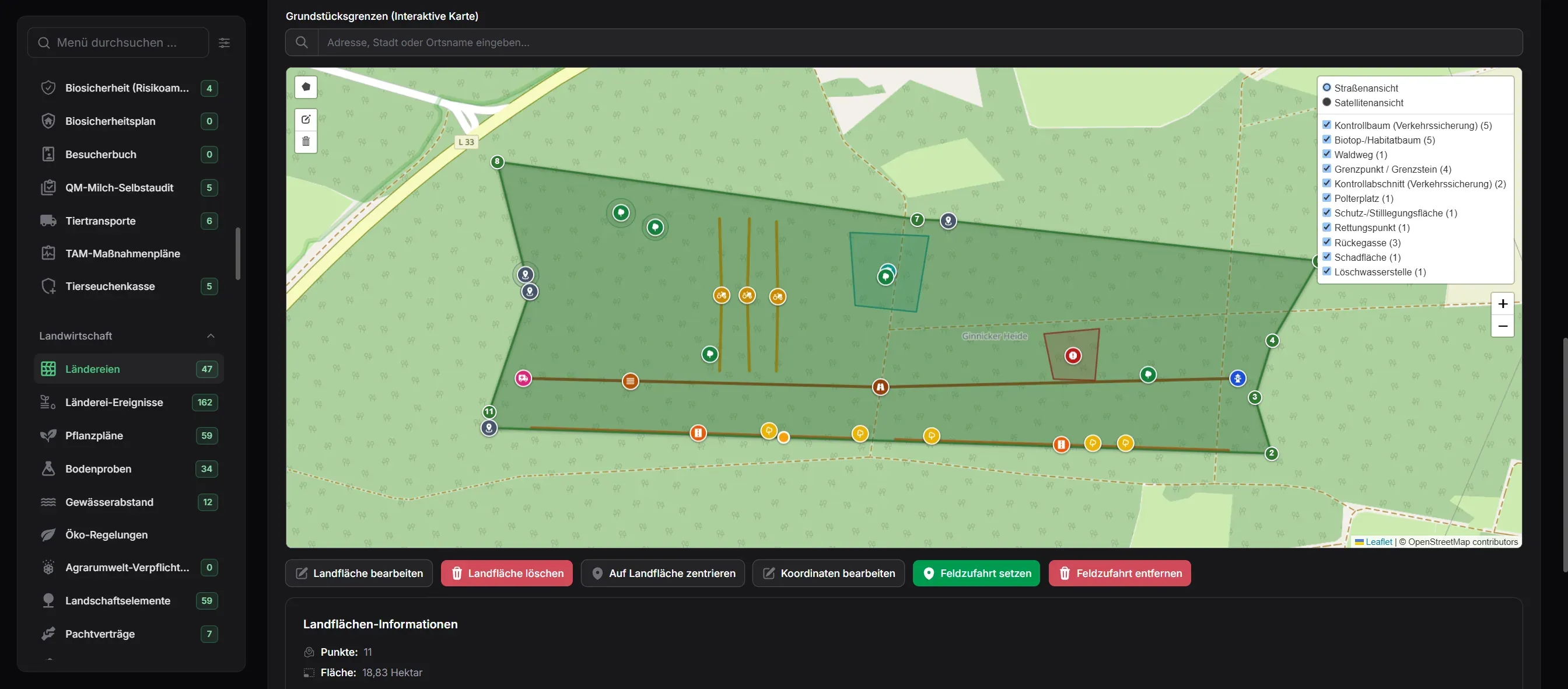
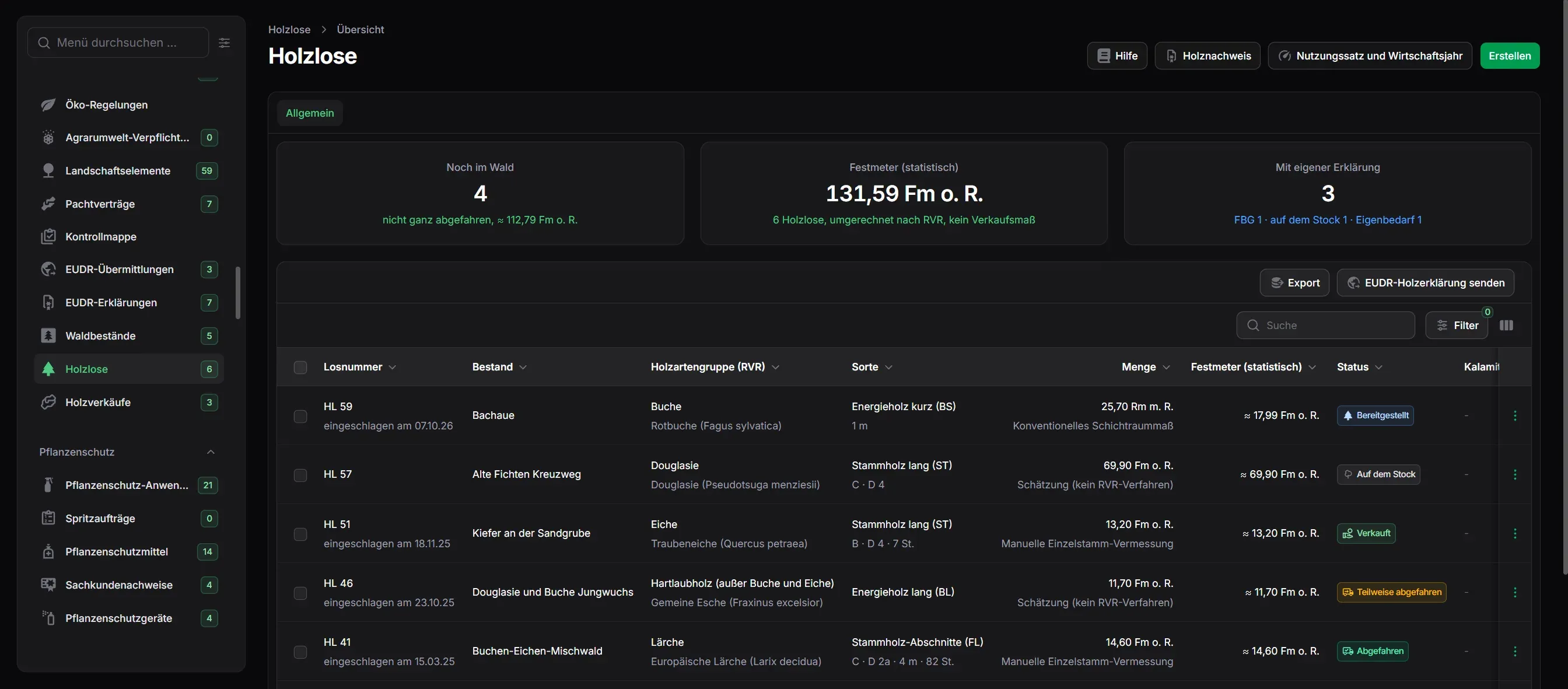
Under “Timber lots” you keep every log pile with the number from the tag and the stand the wood comes from. You set the position on the map, or at the pile you take the position from your phone. Grading follows the German framework agreement for the roundwood trade (RVR). You enter the quantity in the unit it was measured in, and for industrial wood by the road FarmManager works out the stacked volume measured by sections. For the buyer or the haulier you print the timber tally sheet without prices.
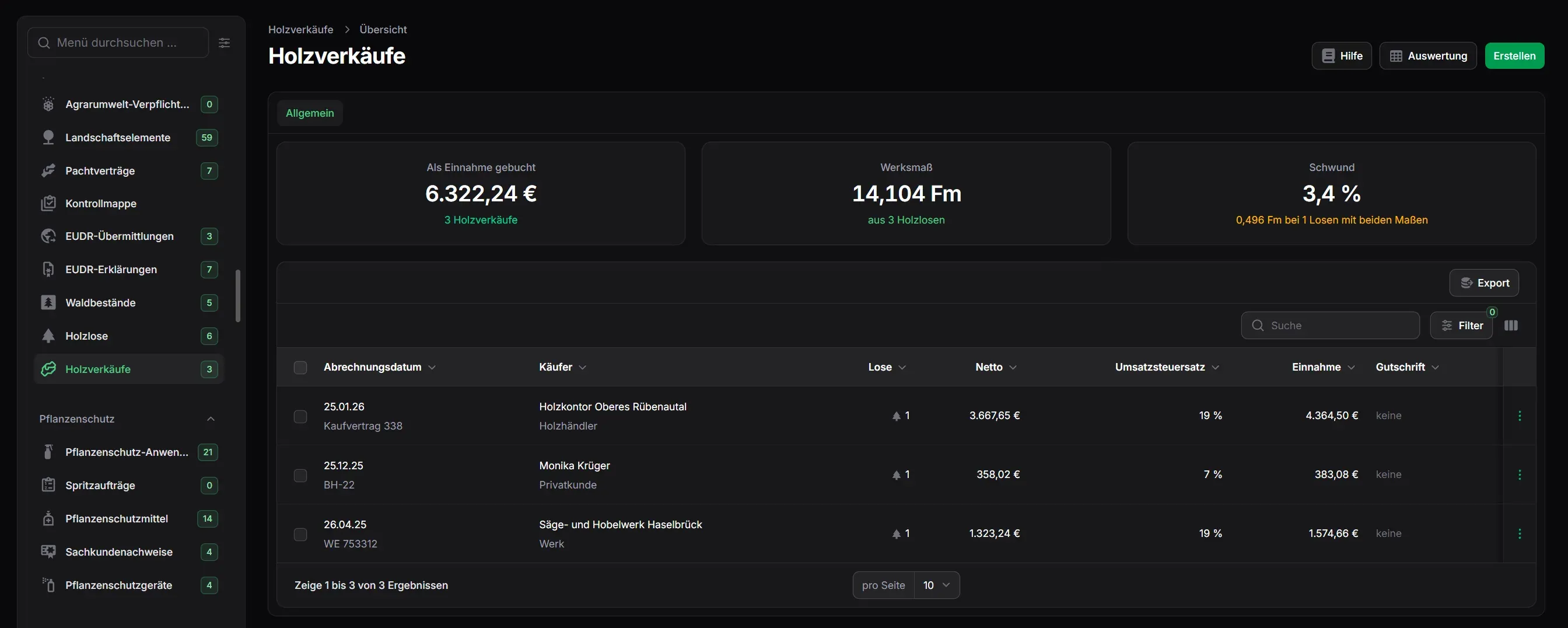
From the Business (Pro) plan you settle under “Timber sales” the lots that one buyer takes on one day, with mill measurement, price per solid cubic metre and deductions. The sale books the revenue once as income. The tax rate that goes with your taxation is suggested, so under § 24 UStG 5.5 % for wood from your own forest. If you book the sawmill's self-billed invoice as an e-invoice against the sale, only the difference is booked. You invoice firewood for private customers with an invoice created from the sale, and its payment does not book the revenue a second time either. In the Field plan the lots already produce the timber evidence under § 34b EStG for each financial year (Wirtschaftsjahr), split into ordinary use and calamity, as a PDF for your tax advisor.
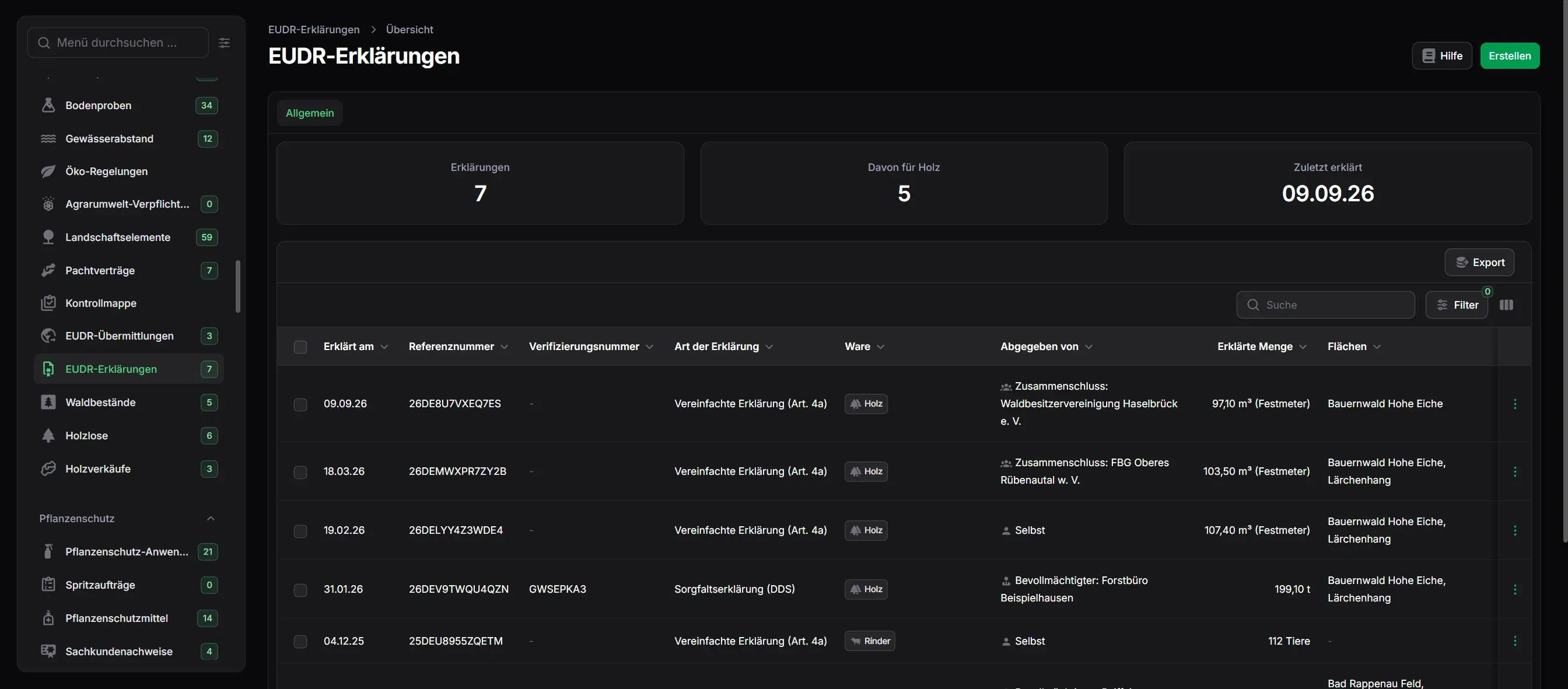
In the timber lot list, “EUDR · Wood declaration template” builds the declaration from the lots you declare yourself, as a simplified declaration for micro and small enterprises or as a due diligence statement. Only the stands the wood comes from are geolocated, and “EUDR · GeoJSON of the stands” delivers their outlines as a file for the EU information system. If your forest owners' association (Forstbetriebsgemeinschaft) submits the declaration, you file its numbers under “EUDR declarations”, and FarmManager prints an evidence sheet for the buyer who takes the wood first.
You enter work in the forest like any other operation in the field record, from planting to final felling and always with the stand where the work was done. For a planting, each delivery from the nursery gets a row of its own with region of provenance and master certificate. “Plan bark-beetle inspections” creates a recurring task with a checklist on the stand, and from an infestation “Create calamity lot” makes a timber lot in which cause and day of damage are already filled in. A task stays open in your list until the date of the report to the tax office is entered on the lot.
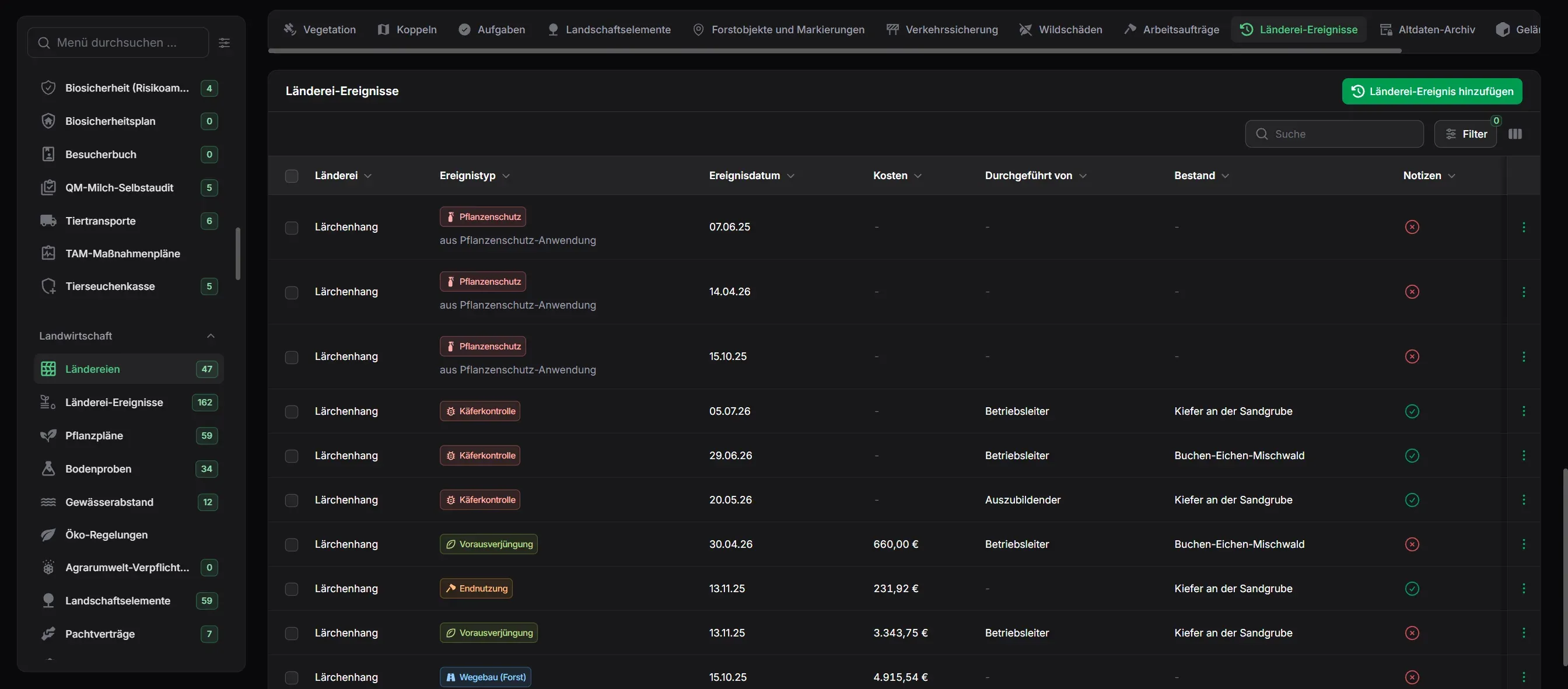
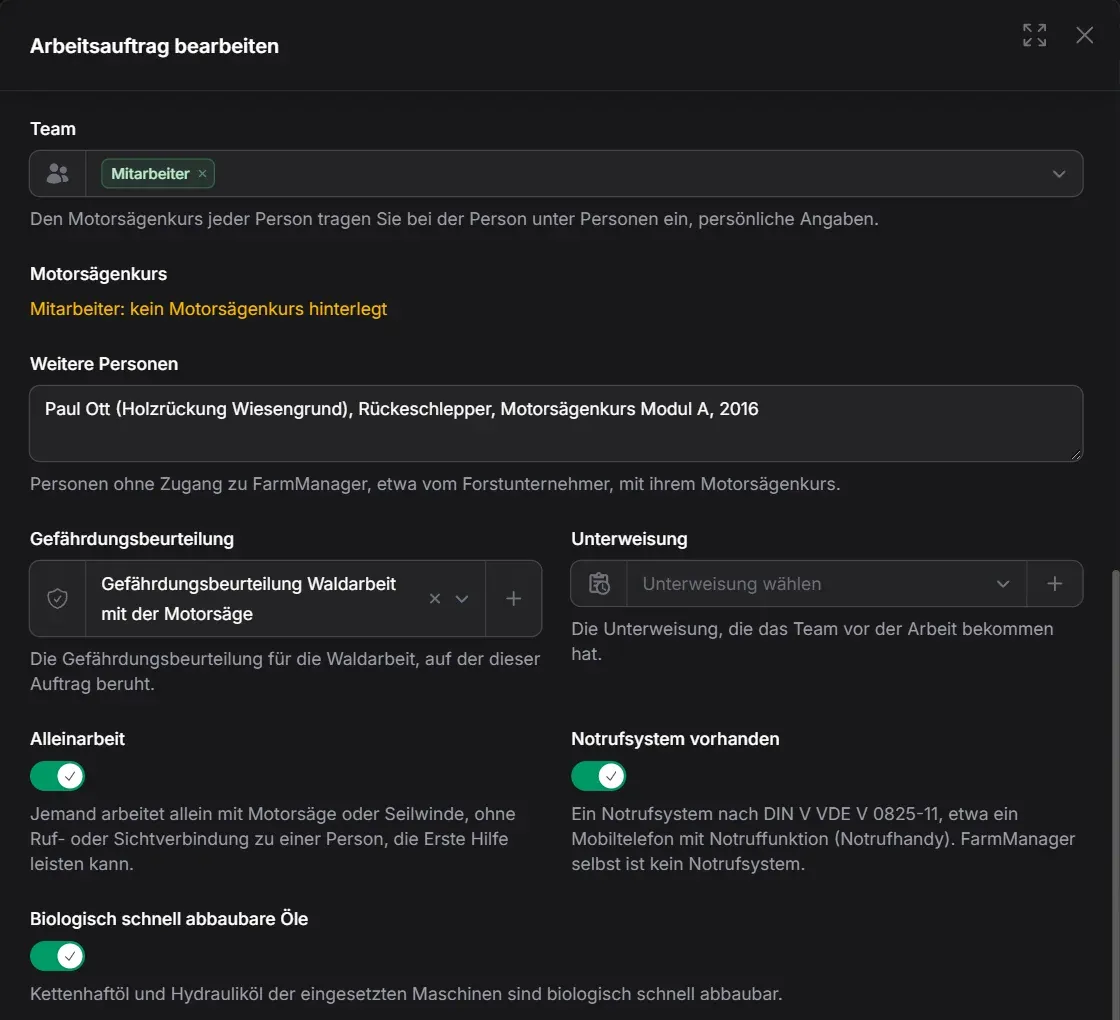
In the “Work orders” tab of the woodland parcel you write the order for a felling, with the felling area, access for ambulances and timber trucks, and the team. The order shows who lacks the chainsaw course and points to the accident prevention regulation for forestry (VSG 4.3) if someone works alone and no emergency call system is noted. Where the forest borders a road or a house, you document every tree inspection with finding and photos in the “Roadside tree safety” tab, and the inspection report as a PDF summarises a period.
Our Plan Recommendation
Field Lite
Forest stands, forest map, timber lots with timber evidence, forest measures, work orders, roadside tree safety, game damage and the EUDR declarations are already included in the Field (Lite) plan, as a yearly subscription for farms without livestock.
The Business (Pro) plan adds timber sales with booking of the revenue, finances and forest management planning with allowable cut and age classes. If you keep animals, you need at least the Farm (Basic) plan.
Consultation and setup are free and included in every plan – from the Business (Pro) plan, connecting your machines as well.