Modules

Fleet & Machinery

Minimize downtime and maximize the lifespan of your heavy equipment. From fleet inventory through preventive maintenance scheduling with dual intervals (operating hours OR months), compliant safety checklists and spare-parts inventory all the way to tax-grade depreciation (AfA) per German § 7 EStG – everything in one platform.

13capabilities
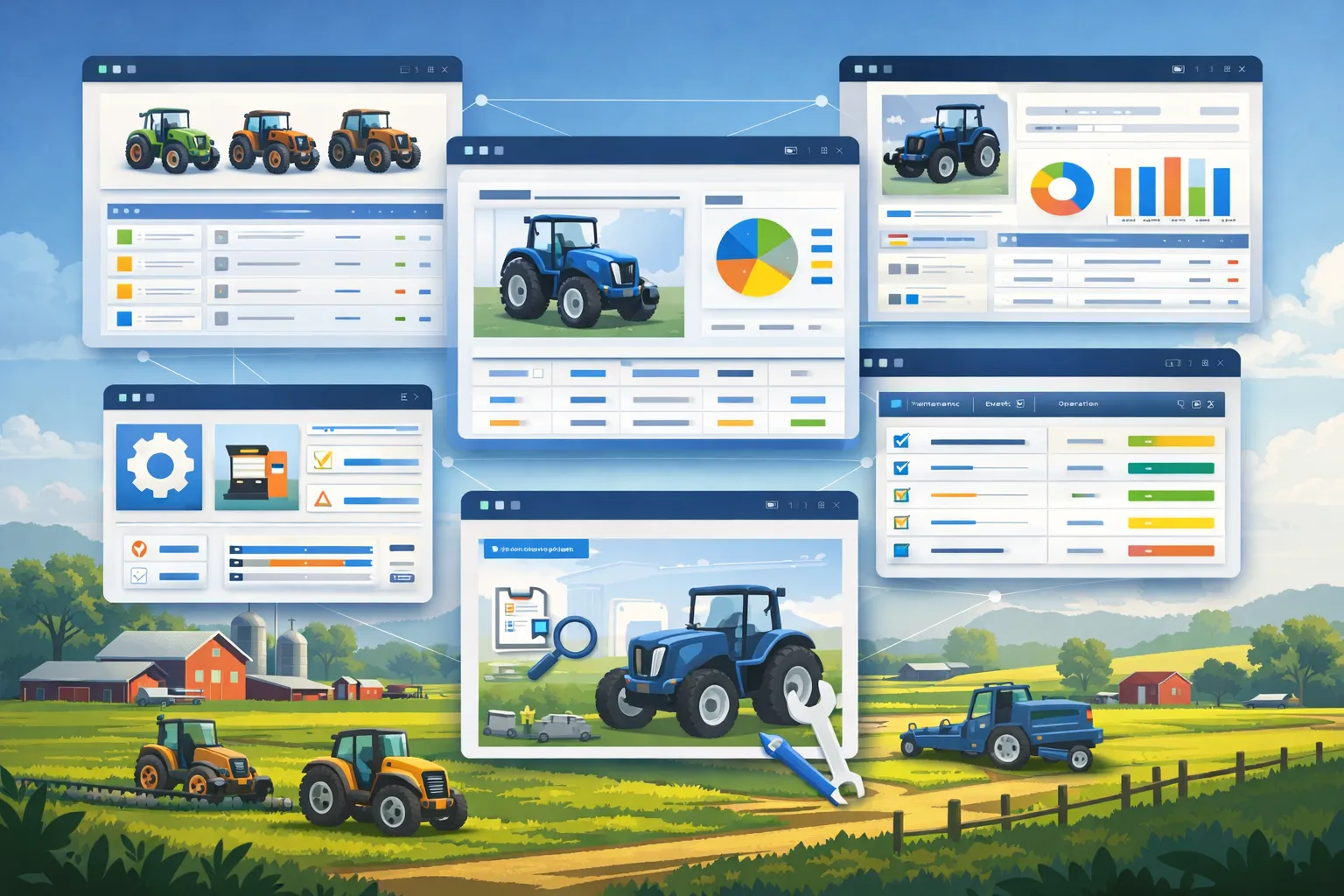
App windows over a farm with tractors at work: a machine list with coloured status dots, a vehicle profile with a pie chart, and a maintenance table with tabs for maintenance, events and operation.
capabilities

Fleet & Machinery: 13 capabilities

01

Fleet Inventory

Manage serial numbers, manufacturer specs, model years, and current operating status. When creating or editing a machine, capture the serial number directly into the field with a camera scan – no typing required. Print a QR label for every machine, individually or as an A4 sheet with eight labels; after signing in, a scan opens the machine directly.
02

Machine Event Logging

Record a filter change, a breakdown, maintenance work or one of the many other event types with date, cost, the person or workshop that carried it out and notes – optionally in the calendar as well. FarmManager automatically books the event's cost as an expense of the machine. You record fitted spare parts directly on the event; their cost is assigned to the machine but not booked a second time as an expense – you book the purchase of the parts as an expense when you buy them.

03

Maintenance Scheduling

Define any number of maintenance plans per machine (e.g. "Oil change every 500 h", "Annual inspection", "Roadworthiness check"), optionally with workshop, estimated costs and a mandatory flag. A maintenance becomes due as soon as EITHER the operating hours OR the calendar months since the last completion are reached – whichever comes first. You set the reminder lead time per plan in days or operating hours; reminders are sent by notification and email. Active plans with a due date appear in the team calendar, and counters above the plan list show how many of them are overdue or due soon; in the list itself every overdue plan is marked, including those due by operating hours. When you enter the last completion, FarmManager creates a machine event for it with the estimated costs – you record fitted spare parts on that event.

04

Maintenance Type Catalog

Ten predefined maintenance types classify every plan – TÜV, HU/AU, oil change, filter change, inspection, insurance, wear parts, lubrication, brakes and "Custom". What exactly is to be done is described by the freely chosen title of the plan, for example "Replace air filter". In the 3D maintenance status, each type colours the matching component.

05

Safety Checklists

Define mandatory or optional safety checklists – before use, daily, weekly or after an incident, per machine type if you wish; every new farm starts with a before-use checklist of nine check items. Operators tick each item Ok / Fail / N/A, with photo and notes if needed. If an item fails with "Fail", FarmManager automatically sets the machine to "Out of service" – only a passed run of the same checklist or the management can release it by hand; operations planning warns about locked machines. FarmManager reports missed checks of daily or weekly mandatory checklists to the responsible users by notification and email.

06

Spare Parts Management

Maintain a central spare-parts catalog with part number, manufacturer, category, storage location, supplier, unit price and unit (piece, litre, kilogram, metre or set). You keep stock and minimum stock per part – the dashboard counts parts below minimum stock under "Low stock". On the machine event you select the fitted parts; while doing so you see each part with its current stock. When you save, the stock drops and the parts cost is assigned to the machine together with the event. If a part falls below its minimum stock as a result, FarmManager points that out and, if you wish, creates a task to reorder.

07

Operating Hours & Fuel

You record operating hours per operation and operator in the logbook, or FarmManager takes them over from telematics; the highest meter reading becomes the machine's hours reading, which hour-based maintenance follows. For each operation you record the litres filled and other costs – fuel from the filling station with a price per litre, fuel from the on-farm tank valued by FarmManager by FIFO at the cost of the batch. "Quick fuel" records a fill from the on-farm tank in one step. Filling-station fuel and other costs are booked automatically as an expense, on-farm tank fuel once with the delivery, provided it was recorded with a price. From annual AfA, fuel and other costs and estimated maintenance costs FarmManager works out a cost rate per machine hour – shown in the 3D status and as a suggestion in the machine lines of contractor jobs (Premium).

08

AfA & Machine Depreciation

Assign each machine to an AfA category per the BMF AfA tables (tractor, combine harvester, trailer …); the useful life is pre-filled and can be adjusted. Choose linear, declining balance (only for acquisitions within the statutory periods, otherwise FarmManager calculates linear) or GWG (written off in full in the year of acquisition). FarmManager recognizes acquisitions up to €800 net as low-value assets and suggests the immediate write-off. FarmManager calculates annual AfA, cumulative AfA and book value itself – the period's AfA appears per machine in P&L and tax report; internal evaluation, does not replace tax advice.

09

Machine History

Every maintenance, repair, safety inspection, parts consumption and status change is archived with timestamp, user, cost and notes. The complete life-cycle file of a machine – viewable in one click or exportable to XLSX for external workshops.

10

3D Maintenance Status

See the maintenance status of every machine as an interactive 3D model – parts such as engine, filter, exhaust/emissions, roadworthiness plate and cabin colour themselves by due status (OK, due soon, overdue), including an exploded view plus book value, AfA depreciation, operating hours and cost rate per hour. Right from the machine list, open the same view as a 3D fleet overview for your entire machine park, where each machine is coloured by its most urgent maintenance schedule – so upcoming maintenance is visible at a glance.

11

Operations Planning & Crews

Plan your own fleet's daily work on a drag-and-drop board — not just for contractor jobs. Assemble fixed crews of machines and drivers, distribute operations across fields and herds, and catch double-bookings and unavailable machines automatically. Six views (swimlane, Gantt, kanban, location, machine, tree) and a per-day weather column support planning. Drivers mark their operations complete on their phone and log actual hours and area; if you wish, you book completed operations on fields into the field register as an execution, and operations on herds as a feeding. A 30-day analysis shows machine utilisation and plan vs. actual — so you can see how well your fleet is utilised.

12

Maintenance-plan templates

Create standard maintenance plans (interval type, operating hours or months, reminder lead time, mandatory/active) as a template and apply them to new plans.

13

Telematics origin per machine

The machine list shows which telematics provider feeds a machine and whether it was created automatically. While a provider keeps the operating hours current they are locked against manual entry, so nobody overwrites a measured value by accident. Auto-discovered machines with no clear type land as “other”.

Common questions

Frequently asked questions

Quick answers to the questions farms ask most often about this module.

Modules

Other modules

Explore more modules from this area — each one is built to work seamlessly with the others.

Land Management

Crop Management & Crop Rotation

Plant Protection

Fertilization Management (DüV)

Telematics & Live Fleet Map

Built for real farms and modern operations

Scale from small farms to large enterprises.