
Silos instead of overview
One program per area, none of them talk to each other – you assemble reports in spreadsheets on the weekend.
One program per area, none of them talk to each other – you assemble reports in spreadsheets on the weekend.
Who's driving which job with which machine tomorrow? The answer lives in someone's head – and disappears with them.
Jobs are done but not yet invoiced – liquidity stays stuck in the field.
Customer management, contract jobs with status history and operations planning with crews that spots conflicts on its own – plus the plan-vs-actual comparison per job, net against net. Double-booked drivers, crews and machines, absent drivers and machines that are out of service, in maintenance or under repair are reported. Jobs not yet dispatched wait in a tray of their own until you drag them onto a crew. You take over your customers' fields as customer fields from their area application export or an ISOXML file, separate from your own field record; the job, the driver app and the delivery note then name field, FLIK and area. What you spray on customer fields you record on the job and give to the customer as proof of work, as a PDF or as a file under Implementing Regulation (EU) 2023/564.

Maintenance planning by operating hours or months, safety checklists following the German statutory accident insurance rules (DGUV) with machine lockout, spare parts with reorder alerts and depreciation calculation under § 7 EStG. FarmManager automatically proposes immediate write-off as a low-value asset for machinery up to €800 net. The driver reports a defect directly at the machine, and this becomes a workshop order that, if you wish, blocks the machine until it is repaired.

An invoice draft is created from the completed contractor job, if you wish with the actual hours or actual area from operations planning; the customer signs delivery notes directly on the driver's device, and you can combine the accepted delivery notes of a customer into one collective invoice. You create outgoing invoices as ZUGFeRD or XRechnung, with their own number sequence, early-payment discount and dunning levels; payments – partial payments too – become income on the payment date, and the open amount flows into liquidity planning and the open items list. The DATEV export is generated as an EXTF posting batch for the chosen period from the finance lists and can be imported once the accounts are entered in the DATEV settings.

Shift generator with ArbZG rules, leave and absences, time tracking via time clock – including hours records under § 17 MiLoG as payroll preparation, also as a PDF with signature fields. The shift generator keeps to maximum working time, weekly limit and minimum rest for the shifts it generates itself – measured also against the shifts you have set or locked by hand; FarmManager checks the staggered breaks after six and nine hours against the recorded working time.

You can manage multiple farms in every plan – each farm with its own subscription, strict data separation and its own roles. One user account can be linked to several farms without setting up a separate login for each. Which role the person has is set on each farm separately.

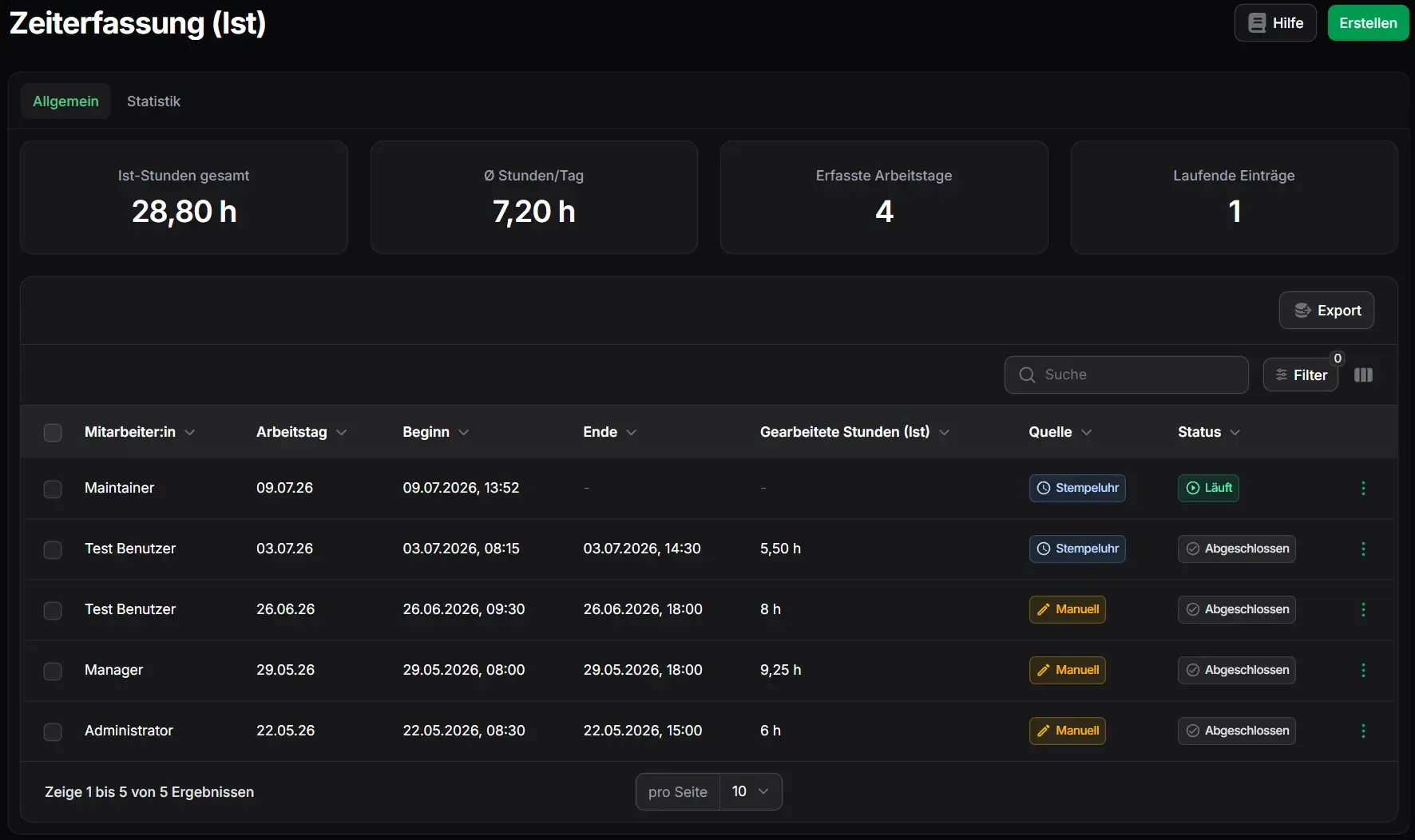
Staff clock in and out straight from the header and book the time onto the contract job they are working on — or onto a barn, a field or their own cost centre. Drivers are offered only the jobs they may book onto; the job in turn shows which hours ran against it. For the current working day, everyone prints their own A4 day sheet at the time clock, with the course of the day, target/actual and the working-time notes.
Our Plan Recommendation
Enterprise Premium
Contract jobs, delivery notes, dispatching and cost centres are reserved for the Enterprise plan – outgoing invoices are already available from the Business (Pro) plan, and you can manage multiple farms in every plan.
The plan for operations that dispatch and invoice.
Consultation and setup are free and included in every plan – from the Business (Pro) plan, connecting your machines as well.