
Farm Management
Click your initials in the top right and then Farm Management. Every farm you manage is listed here with its settings.
On your farm's card, click HI-Tier Integration.
Credentials
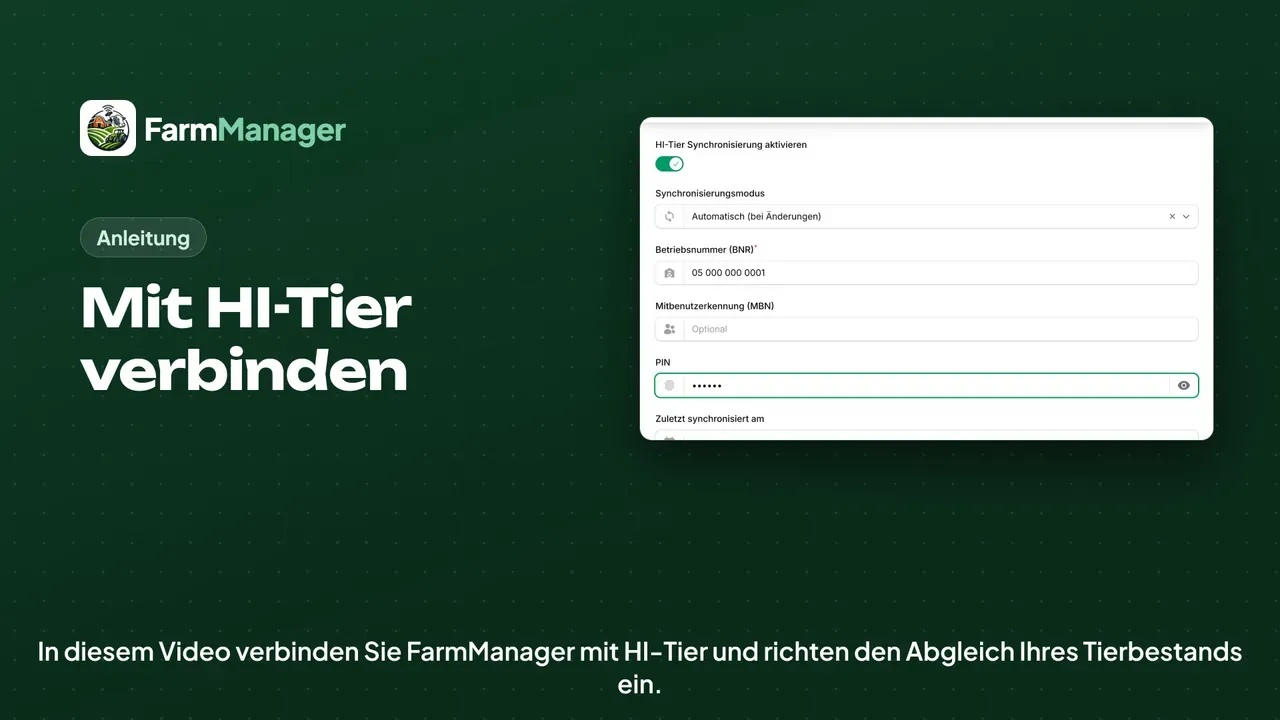
Switch on Enable HI-Tier synchronization, and the fields for the credentials appear.
In Synchronization mode, with Automatic, FarmManager reports every change to HI-Tier by itself. With Manual you fetch and report the data yourself, through a menu in the animal list.
Enter your Business number (BNR), the one you also use to sign in to HI-Tier.
You only need the Co-user ID (MBN) if you sign in to HI-Tier as a co-user. Otherwise leave the field empty.
Next comes your PIN, the same as when you sign in to HI-Tier.
Last synced at stays empty when you connect for the first time. If you delete the date later, FarmManager fetches the whole herd again at the next synchronisation.
TAM report
If you submit antibiotic reports through HI-Tier, switch on the TAM module further down in the TAM Report section.
FarmManager then transmits the half-yearly report and the livestock declarations under your farm number.
Save
Click Submit. FarmManager immediately starts fetching your herd and the movements from HI-Tier.
This runs in the background. When it is done, the bell in the top right tells you.
Tips
In the list of Animals you find the HI-Tier menu at the top. There you fetch the herd by hand, report your animals to HI-Tier and see the HI-Tier messages.
If you want to look something up, click Help at the top.